Top 5 Most Popular Hytale Mods This Week

Hytale finally launched on January 13, and the modding community wasted no time. Even in this shorter first week, creators have already put out tools, tweaks, and full-on gameplay upgrades. If you are running or planning to run a Hytale server, picking the right mods can be the difference between a server people log into once and a server they keep coming back to.
This roundup covers January 13–18, 2026 and highlights 5 mods that are both fun and actually useful for server owners:
- Advanced Item Info
- EyeSpy
- Lucky Mining
- Violet’s Furnishings
- Ymmersive Melodies
Let us break down what each one does, and more importantly, why they are worth installing on your server.
1. Advanced Item Info by Buuz135
Link: https://www.curseforge.com/hytale/mods/advanced-item-info
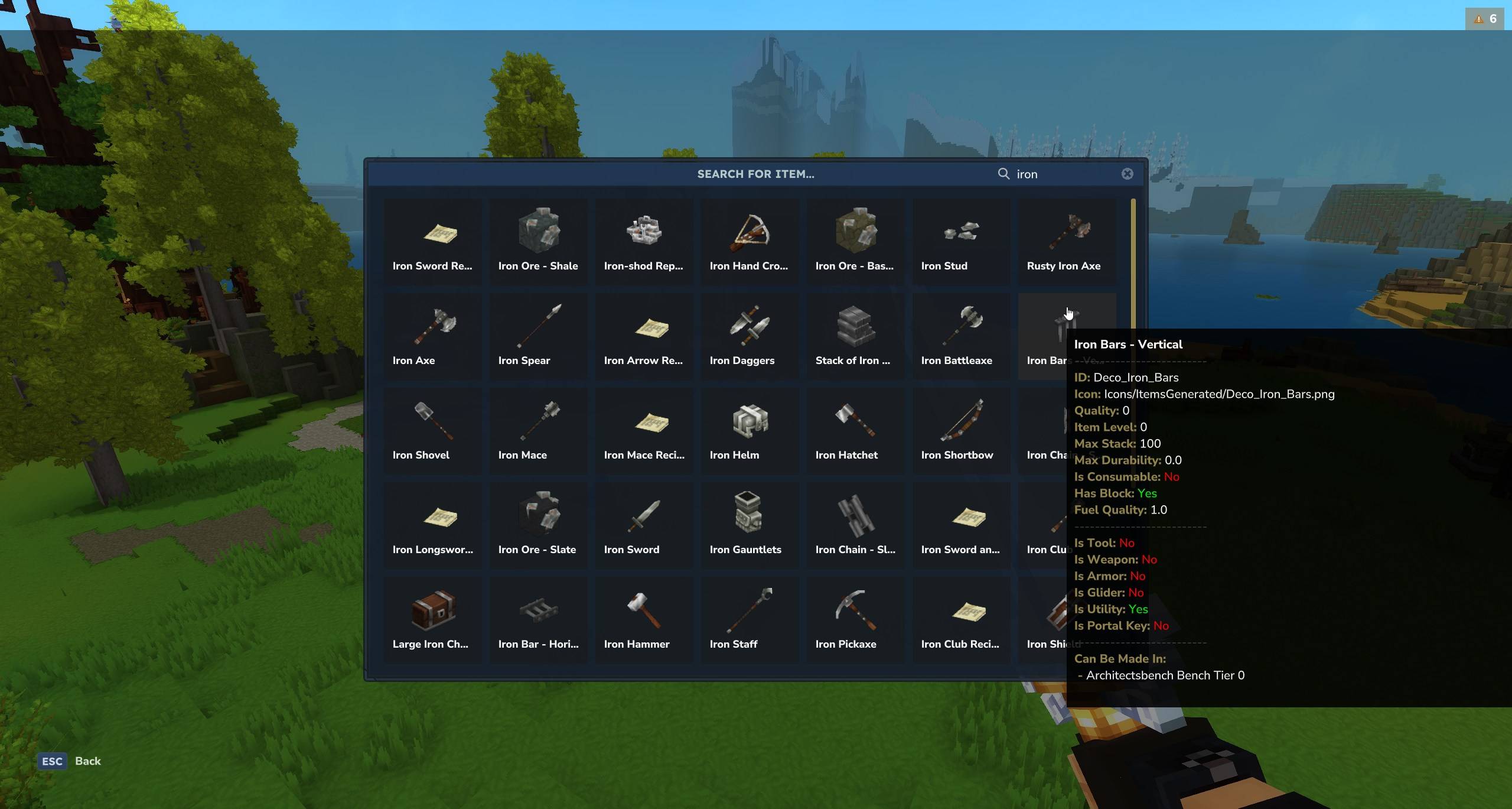
Advanced Item Info is basically a built-in wiki for every item in your Hytale world.
It adds a clean GUI that you can open with the /advancedinfo command (or /aii and /iteminfo if you prefer shorter aliases). Inside that GUI, you can search through all items and see detailed stats for each one, such as:
- Item ID and icon
- Quality and item level
- Max stack size and durability
- Whether it is a tool, weapon, armor, utility or consumable
- Whether it is a glider, portal key, or block-related
- Where it can be crafted
- Fuel quality and more
You simply hover over an item in the interface to see all of this.
Why server owners should install Advanced Item Info
For server owners, this mod is a game changer for:
Balancing and design
When you are making custom kits, loot tables, or shop rewards, it really helps to know the exact stats of items at a glance.Staff tools
Admins and moderators can quickly look up items players are using and understand if something is too strong, too weak, or just suspicious.Helping new players
Instead of asking “What does this do?” in chat every 30 seconds, players can open the GUI and learn by themselves. That keeps your chat cleaner and your staff less stressed.Building consistent progression
Item levels and quality can help you design a clear progression path, especially on RPG, SMP, or custom survival servers.
If your server has a lot of items, or you plan to grow into a mod-heavy experience, Advanced Item Info will save you a ton of time and confusion.
2. EyeSpy by DarkhaxDev
Link: https://www.curseforge.com/hytale/mods/eyespy
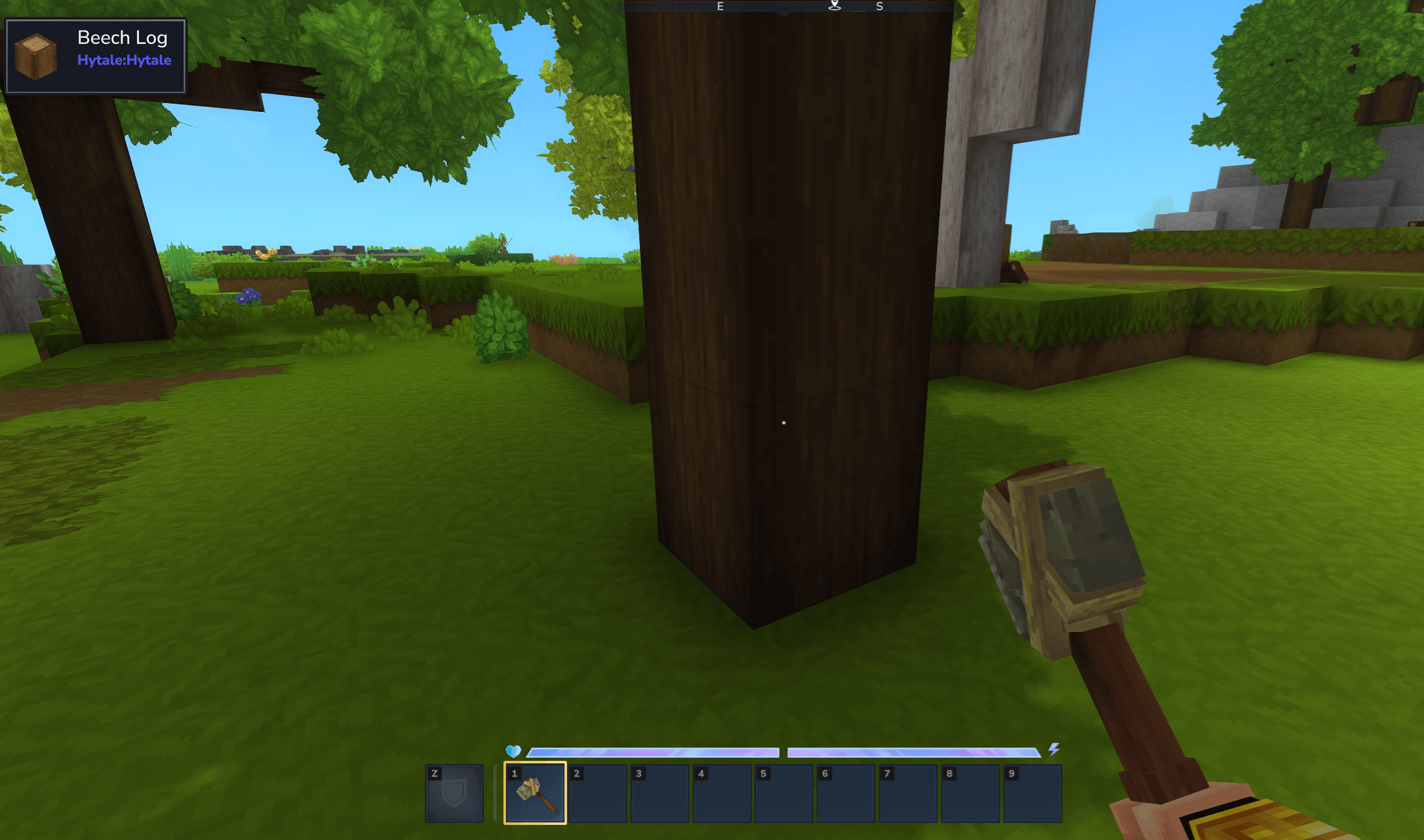
EyeSpy adds a handy HUD overlay that shows information about whatever you are currently looking at.
Look at a block, and EyeSpy tells you:
- Block name
- Which mod it came from
- Bench tier and processing info for machines
- Chest contents or furnace progress (where supported)
Look at an entity (like a mob or a player), and you see:
- Name
- Current health
It is like having a small info scanner in your eyes.
Why server owners should install EyeSpy
EyeSpy is great for both players and staff:
More intuitive gameplay
Players can instantly learn what blocks are, what mod they belong to, and how to interact with machines or benches. That is huge for modded servers, where people often feel lost.Easier building and decorating
Builders no longer have to guess which block came from which mod. They can quickly copy styles and stay consistent in their builds.Better moderation and debugging
Staff can quickly check mob health, identify blocks, and inspect machines or storage without needing a bunch of commands.Smooth onboarding for new players
New players feel much more confident when they can just look at something and understand it. That means they stay longer and explore more of your server.
If you want your modded server to feel polished, EyeSpy helps a lot with clarity and usability.

3. Lucky Mining by Buuz135
Link: https://www.curseforge.com/hytale/mods/lucky-mining
Lucky Mining gives mining that casino-like “one more block” feeling.
Every time a player mines an ore, there is a chance that the ore will come back so they can mine it again. The more ores they successfully chain in a row, the higher the chance becomes. If they take too long or start mining something else, the base chance resets.
Almost everything is configurable, which means you control how lucky people can get.
Why server owners should install Lucky Mining
This mod is perfect for making resource gathering more fun without breaking your economy:
More satisfying gameplay
Mining can be one of the most repetitive parts of survival. The chance of an ore respawning instantly makes it feel more exciting and rewarding.Encourages active play
The “combo” feel of mining streaks encourages players to stay focused and keep going, instead of getting bored and logging off.Configurable for balance
You can tweak the chances so your server does not become flooded with resources. Make it super rare for hardcore servers, or more generous on casual or SMP servers.Good for event mining zones
You can set up special mining areas where Lucky Mining is part of the experience. It works great for weekend events or “resource world” runs.
If your server wants to keep mining important but less grindy, Lucky Mining is a fun and flexible way to do it.

4. Violet’s Furnishings by VioletsWorkshop
Link: https://www.curseforge.com/hytale/mods/violets-furnishings
Violet’s Furnishings is all about style and personality.
It adds a big collection of decorative and furniture items, including:
- Themed furniture sets with different colors and patterns
- Interactive decor and light fixtures
- Statues and original artwork
- Custom sound effects for certain items
- A dedicated crafting bench with easy navigation
The mod is also actively updated, so you can expect more content over time.
Why server owners should install Violet’s Furnishings
If you want your server to look unique instead of “generic world number 321,” this is the kind of mod you need:
Perfect for hubs and spawn areas
Your spawn, shops, and central towns can look like real designed spaces instead of basic box rooms.Supports roleplay and social spaces
Roleplay servers, SMP servers, and creative communities benefit a lot from themed decor that fits taverns, houses, markets, parks and more.Builders will love you
Players who enjoy building will stick around longer if they have access to more interesting furniture and decor items.Brand identity for your server
Custom furniture and decorations help your server feel memorable. Screenshots look better, and that also helps with advertising on server lists and social media.
If your server wants to look as good as it plays, Violet’s Furnishings is an easy pick.
5. Ymmersive Melodies by Ymmersive Melodies
Link: https://www.curseforge.com/hytale/mods/ymmersive-melodies
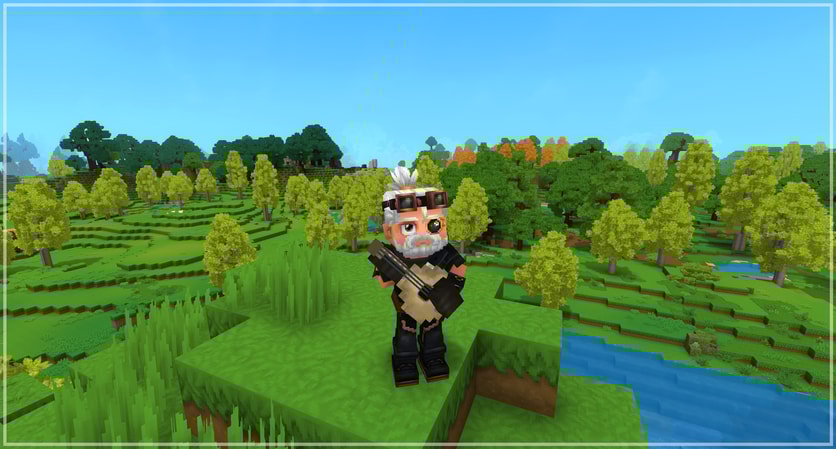
Ymmersive Melodies turns your Hytale world into a music stage.
With this mod, players can:
- Upload and play MIDI files in-game on different instruments
- Sync up multiple instruments with friends and play music in real time
- Use instruments crafted in the workbench (tools section)
- Upload their own MIDI files by URL or local file in singleplayer
On multiplayer servers, it is already a great way to create small concerts, background music in towns, or just troll friends with cursed songs.
The roadmap also mentions plans like:
- Permissions and configs for servers
- Keyboard input
- Letting NPCs play instruments
- MIDI track selection
So it is likely to become even stronger for server use over time.
Why server owners should install Ymmersive Melodies
Music changes the whole vibe of a server:
Create atmospheres in different areas
Town squares, taverns, spawn areas, or event arenas feel much more alive with live music.Community events
You can host music nights, talent shows, or small “concerts” where players perform for each other.Player creativity
Musical players will love having a space where they can upload songs and share them with the community.Great for content
Streamers and YouTubers on your server can use in-game music performances as funny or impressive moments in their videos.
If you want your server to feel social and memorable, music is a powerful way to do it, and Ymmersive Melodies gives you that tool.
How These Mods Fit Different Types of Servers
Here is a quick way to think about using these mods together:
Survival and SMP servers
- Advanced Item Info for understanding gear and drops
- EyeSpy for making modded content easier to learn
- Lucky Mining for more exciting resource gathering
Builders and creative-focused servers
- Violet’s Furnishings for stylish builds and hubs
- EyeSpy to keep track of which block came from where
Social, community and event servers
- Ymmersive Melodies for music events and chill hangout spots
- Violet’s Furnishings for cozy taverns, plazas, and stages
You do not have to install all five, but combining a few of them can make your server feel more polished and original.
Want Players To Actually See Your Modded Server?
All these mods are awesome, but they are even better when real players are online to enjoy them.
If you are running or planning a Hytale server with custom mods, you will want a way for people to discover it easily. That is where server lists come in. A site like HytaleServerList.me lets you:
- Share your server details and features
- Highlight that you use cool mods like these
- Get new players who are actively searching for fresh Hytale servers
If you are thinking about a modded SMP or custom gameplay server, you can even explore the gamemode section for inspiration, like the modded gamemode page to see how others present their worlds.
Once your server has a few of these mods, a clean spawn, and a good description, listing it on a server list is one of the easiest ways to grow your community.
Final Thoughts
Mods are not just extra content. For Hytale servers, they are part of your identity.
- Advanced Item Info and EyeSpy make gameplay clearer and more understandable.
- Lucky Mining keeps progression fun without making players grind forever.
- Violet’s Furnishings makes your world look unique.
- Ymmersive Melodies makes your server sound unique.
Together, they help you build a server that feels smart, stylish, and fun to hang out in.
If you are a server owner, try a few of these mods, tweak their settings to match your style, and watch how your players react. Then, when you are ready, share your creation with the world and let your community grow around the experience you built.